







- Top Features
- Secures PC and Mac
- Antivirus, malware, ransomware, & spyware protection
- Keeps children safe online

Malware and Ransomware Protection in the UK: Stay Safe Online
Cyber threats such as malware and ransomware are on the rise across the UK, affecting individuals, families, and businesses alike. From phishing emails to malicious downloads, attackers are constantly evolving their tactics.
What Is Malware?
Malware (malicious software) refers to any programme designed to disrupt, damage, or gain unauthorized access to your device or data. Common types of malware include:
- Viruses that spread between files and systems
- Trojans that disguise themselves as legitimate software
- Spyware that secretly tracks your activity
- Adware that delivers unwanted ads and redirects
Malware can infect your device through email attachments, unsafe downloads, or compromised websites. Once installed, it can steal personal data, track your activity, or even take control of your system.
What Is Ransomware?
Ransomware is a particularly dangerous form of malware that locks or encrypts your files and demands payment to restore access. Victims are typically given a deadline to pay a ransom, often in cryptocurrency, or risk losing their data permanently. However, even if you pay, there is no guarantee your files will be recovered.
In the UK, ransomware commonly spreads through:
- Phishing emails with malicious attachments
- Fake or compromised websites
- Infected software downloads
- Links in scam messages
Once activated, the ransomware can lock your screen or encrypt files, preventing access to important documents, photos, or business data.
What Is Spyware?
Spyware is designed to secretly monitor your activity and collect sensitive information, such as passwords, banking details, personal data and browsing history. It typically runs in the background and sends information to cybercriminals, increasing the risk of identity theft and fraud.
How to Protect Yourself from Malware and Ransomware
UK users are increasingly targeted due to high levels of online banking, eCommerce, and remote working. Cybercriminals exploit human behaviour such as clicking on links or downloading attachments to gain access to devices.
To better stay safe online, follow these best practices:
- Avoid clicking links in suspicious emails
- Only download software from trusted sources
- Keep your operating system and apps updated
- Use strong, unique passwords
- Back up important files regularly
- Be cautious when using public Wi-Fi
These steps significantly reduce your risk but they are most effective when combined with robust antivirus protection.
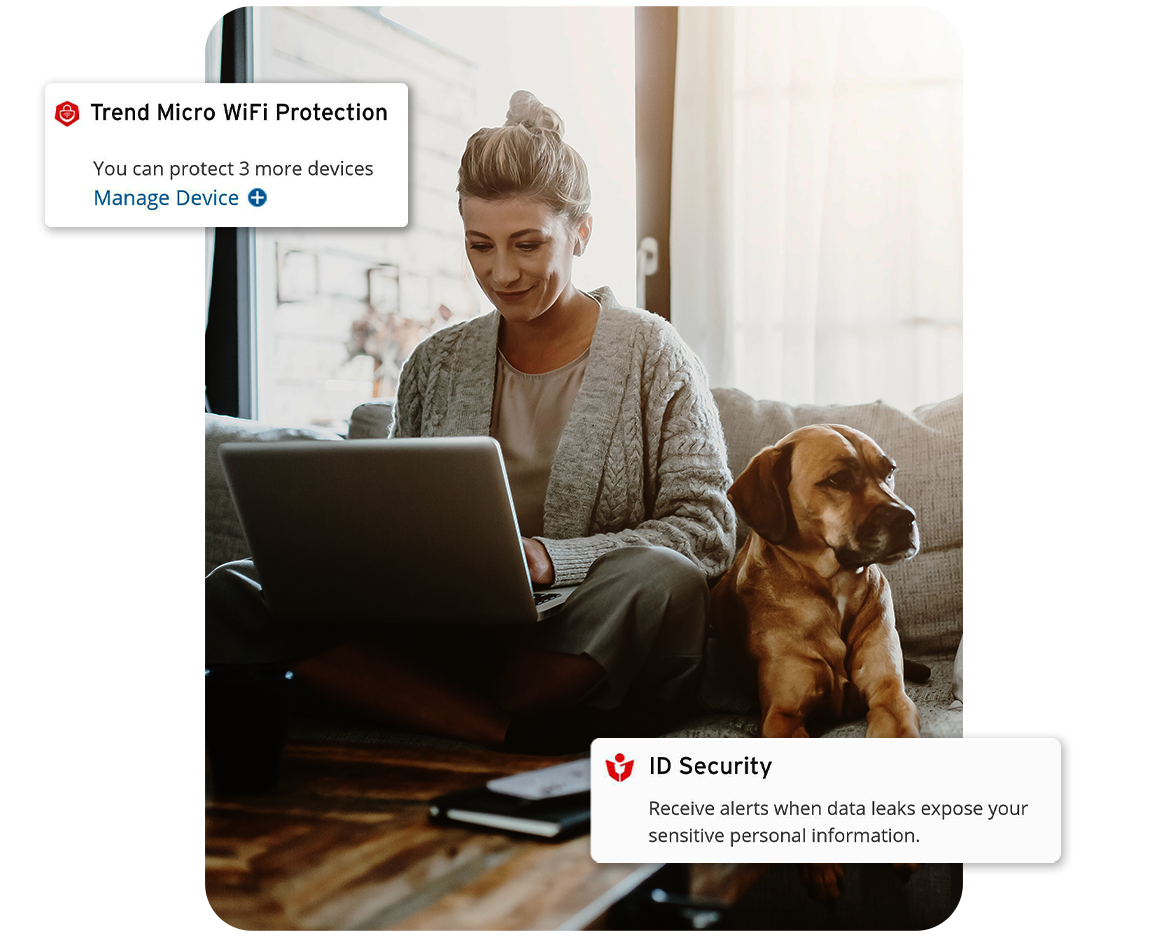
Benefits of Trend Micro Malware and Ransomware Protection
By combining safe online habits with trusted antivirus software like Trend Micro, you can protect your data, devices, and digital life with confidence.
For UK users, Trend Micro offers comprehensive, multi-layered security, such as Premium Security Suite, designed to stop threats before they cause harm with the following security features:
- Real-time threat detection
- Advanced ransomware protection
- Protection against scams and emerging threats
- Secure online banking and shopping
- Email and phishing protection
- Multi-device security
- Privacy and identity protection
Choose the best security for all your devices
12 Months
24 Months
Basic
Trend Micro™
Antivirus+ Security
Protection against complex threats
£14.95
Automatically renews at £24.95/year, unless the renewal is cancelled.
Save £10.00 the first year.Features
- Top Features
- Secures PC and Mac
- Antivirus, malware, ransomware, & spyware protection
- Keeps children safe online
Better
Trend Micro™
Internet Security
Advanced online protection
£39.95
Automatically renews at £64.95/year, unless the renewal is cancelled.
Save £25.00 the first year.Features
- Top Features
- Secures PC and Mac
- Antivirus, malware, ransomware, & spyware protection
- Keeps children safe online
- Secures online banking and shopping
- Secures privacy on social media
- Pauses notifications during gaming
- Top Features
- Secures PC and Mac
- Antivirus, malware, ransomware, & spyware protection
- Keeps children safe online
- Secures online banking and shopping
- Secures privacy on social media
- Pauses notifications during gaming
Recommended
Best
Trend Micro™
Maximum Security
Comprehensive online security and antivirus protection
£49.95
Automatically renews at £84.95/year, unless the renewal is cancelled.
Save £35.00 the first year.Features
- Top Features
- Secures PC, Mac, and Mobile devices
- Antivirus, malware, ransomware, & spyware protection
- Keeps children safe online
- Protects webmail from scams and phishing attacks
- Secures online banking and shopping
- Secures privacy on social media
- Pauses notifications during gaming
- NEW! Protects AI applications from tampering and abuse
- Top Features
- Secures PC, Mac, and Mobile devices
- Antivirus, malware, ransomware, & spyware protection
- Keeps children safe online
- Protects webmail from scams and phishing attacks
- Secures online banking and shopping
- Secures privacy on social media
- Pauses notifications during gaming
- NEW! Protects AI applications from tampering and abuse
Exceptional
Trend Micro™
Premium Security Suite
Complete device security, identity protection and scam prevention
£79.95
Automatically renews at £124.95/year, unless the renewal is cancelled.
Save £45.00 the first year.Features
- Top Features
- Secures PC, Mac, and Mobile devices
- Antivirus, malware, ransomware, & spyware protection
- Keeps children safe online
- Protects webmail from scams and phishing attacks
- Secures online banking and shopping
- Secures privacy on social media
- Pauses notifications during gaming
- NEW! Protects AI applications from tampering and abuse Also Includes
- Secure VPN to protect your privacy
- Identity protection to keep your identity safe & manage your passwords
- Anti-track and Ad-blocker to stop third parties from collecting your data
- Anti-scam to detect AI scams, warn users of deepfake scams during video call, filter spam texts and block unsafe websites (Android only)
- Monitors if personal information is leaked on the dark web
- Fast, remote diagnosis and repair
- 24x7 support
- Top Features
- Secures PC, Mac, and Mobile devices
- Antivirus, malware, ransomware, & spyware protection
- Keeps children safe online
- Protects webmail from scams and phishing attacks
- Secures online banking and shopping
- Secures privacy on social media
- Pauses notifications during gaming
- NEW! Protects AI applications from tampering and abuse Also Includes
- Secure VPN to protect your privacy
- Identity protection to keep your identity safe & manage your passwords
- Anti-track and Ad-blocker to stop third parties from collecting your data
- Anti-scam to detect AI scams, warn users of deepfake scams during video call, filter spam texts and block unsafe websites (Android only)
- Monitors if personal information is leaked on the dark web
- Fast, remote diagnosis and repair
- 24x7 support
Trend Micro reserves the right to modify, revise, or adjust its pricing from time to time. The price indicated above represents the most recent applicable price for these product(s) and renewal(s).
Easy Steps
How It Works
-
Select Product
Selecting the right product for your online protection. Tailored to meet your specific needs.
-
Choose Plan
Choose your plan that reflects how many devices and how long you want to protect.
-
Login/Register
Take the first step towards a more secured digital life and peace of mind by registering today.
-
Make Payment
We offer a variety of secure payment methods to make your payment process convenient and hassle-free.
Trend Micro Security Products Customer Reviews
It is a good system and appears to cover all aspectsI have been with Trend Micro for quite a number of years and my computer and mobile devices have been well-protected and no invasions by hackers [nor] other infiltrators have [since] occurred. Being an aged person without an IT background, I have called technical support service a number of times and received all the time and assistance needed. Your technicians are always helpful and understanding.
Bill Goodie - 3 months ago
Good quality productI have been a Trend Micro customer since 2013. In that time, I have never been attacked by any malicious software [nor] infected with harm-causing software. I have been warned a number of times that particular websites were potentially dangerous and should be avoided. I have never had any cause to question what the Trend Micro software was doing, as it went about its business of protecting me. The four other systems that are protected by my licensed version of the software have never had their computers compromised.
Fool-proof protectionI have been with Trend Micro for years now and have never had a problem. From the first installation which was easy, to annual renewals—the processes have been simple. I have three devices protected and it gives me peace of mind. I would highly recommend this product.
Great all round protectionHave been purchasing this for many years, never had an issue with [it]. So easy to purchase, download, install, run, and protect my IT equipment and software, truly cannot fault at all.
Easy and complete protectionI have used your product for over 3 years and have had no issues. [It is] easy to load, and easy to use. I have seen it disrupt various attempts of viral attacks against my machine, it gives me great confidence.
Peace of MindI have been using Trend Micro since the 1990's when my PC had 500meg of hard drive and 32 meg of ram. In recent years, I have purchased the multiple 2 year product to ensure all my devices are protected, as well those of my family. I have never used any other product as extremely satisfied with Trend Micro protection.
Why Buy from the Official Trend Micro Store?
 Latest Products & Offers
Get the latest deals across our entire range of security products for all your internet-connected devices.
 Simple & Easy
Buying online is only a few clicks away. If you require help, our online support is available 24x7 via email or chat.
 Total Peace of Mind
Stay continuously protected with the latest version and automatic renewal on checkout — removing the hassle of renewing manually every year.
Why do you need Trend Micro Antivirus?
 Award-Winning Protection
Trend Micro has the highest quality solutions and the best security protection, as recognised through awards by independent tester AV-Test since 2003.
 Trusted by Millions
Dedicated to assuring 100% customer satisfaction. Our security experts are ready to assist you 24x7.
 35 Years of Innovation
Thirty-five years of experience and innovation guarantees only the best internet security and antivirus protection.
 100% Money Back Guarantee
Enjoy a 30-day money-back satisfaction guarantee when you purchase through the Trend Micro online shop.
Get Advanced Protection with
Trend Micro Premium Security Suite
If you’re looking for advanced antivirus protection with anti-scam software and identity theft protection, consider Premium Security Suite. It provides full device and identity safeguarding for PC, Mac, smartphones and tablets.
Highlights of Premium Security Suite include:
- Protect PCs, Macs, mobile phones and tablets
- Antivirus, malware, ransomware, & spyware protection
- Guard against identity theft with dark web monitoring
- Anti-track and Ad-blocker to stop third parties from collecting your data
- Protect and manage passwords
- Keep children safe online
- Secure VPN to protect your privacy
- Covers out-of-pocket expenses if you become a victim of identity theft or fraud.
- 24/7 Resolution specialists will provide personal guidance if you're the victim of identity theft. *
- Anti-scam to detect AI scams, warn users of deepfake scams during video call, filter spam texts and block unsafe websites (Android only)
- 24x7 unlimited technical support and emergency assistance
Subscribe now
* ID Theft Restoration only applies to the registered user (excludes free and trial users).

Maximum Security

Mobile Security

ID Protection
VPN

Trend Micro ScamCheck
Frequently Asked Questions
How cybercriminals use malware?
Cybercriminals use malware to steal personal information, like passwords and credit card numbers, through methods such as keylogging or phishing. They also use it to encrypt files and demand ransom payments (ransomware), disrupt systems (like distributed denial-of-service attacks), or turn devices into bots for larger-scale attacks (botnets). Moreover, malware can be used for espionage, allowing cybercriminals to monitor activities, access confidential information, or gain unauthorized control over compromised devices. In summary, malware offers cybercriminals a flexible tool for carrying out a variety of malicious activities.
How can Trend Micro protect us from malware attacks on devices?
Trend Micro offers comprehensive protection against malware attacks on devices through its advanced security solutions. Trend Micro's antivirus and security software can identify and block known and emerging malware threats in real-time.
Additionally, Trend Micro security solutions employs web filtering and email scanning to prevent users from accessing malicious websites or downloading infected email attachments. Their solutions also include features such as firewall protection, intrusion detection, and vulnerability shielding to further fortify devices against malware attacks. With regular updates and continuous threat intelligence, Trend Micro strives to provide comprehensive protection to users, safeguarding their devices from malware infections and ensuring a safer digital experience.
How to scan Mac for malware?
To scan your Mac for malware, you can use built-in security features. Alternatively, you can use Trend Micro's comprehensive antivirus software designed specifically for macOS. Begin by ensuring your operating system is up to date to access the latest security features. Then, install Trend Micro's antivirus solution following the provided instructions. Once installed, launch the software and initiate a full system scan. Trend Micro's robust scanning engine will thoroughly examine your Mac's files, applications, and system settings for any signs of malware or suspicious activity. If any threats are detected, the software will prompt you to take appropriate actions, such as quarantine or delete the infected files. Regularly running scans with Trend Micro's antivirus software helps ensure your Mac remains protected from malware infections, providing you with peace of mind while using your device.
Do mobile devices get malware?
Yes, mobile devices like smartphones and tablets can be infected with malware. While they were once considered less vulnerable, their widespread use has made them attractive targets for cybercriminals. Malware on mobile devices can include viruses, ransomware, spyware, and adware. It can spread through malicious apps, phishing messages, infected websites, and compromised legitimate apps. Once infected, malware can steal data, track user activity, display unwanted ads, or take control of the device. To protect against mobile malware, users should download apps only from official stores, keep software updated, use strong passwords, and employ reputable mobile security software like Trend Micro Mobile Security.
How to remove any malware?
To remove malware from your device, start by running a thorough antivirus scan using reputable security software. Follow the software's instructions to quarantine or delete any detected threats. If the malware persists or your device exhibits unusual behavior even after scanning, consider using specialized malware removal tools or seeking assistance from a professional computer technician. Additionally, perform a system restore to revert your device to a previous state before the malware infection occurred. Finally, implement preventive measures such as keeping your software updated, avoiding suspicious links or downloads, and practicing safe browsing habits to minimize future infections.
What other malware examples in addition to the types of malware mentioned above?
In addition to the types of malware mentioned earlier, other examples include:
- Rootkits: Malicious software designed to gain unauthorized access to a computer or network by bypassing security controls. Rootkits often hide deep within the operating system, making them difficult to detect and remove.
- Keyloggers: Programs that record keystrokes on a computer or mobile device, allowing attackers to capture sensitive information such as passwords, credit card numbers, and personal messages.
- Exploits: Software vulnerabilities or weaknesses that attackers exploit to gain access to a system or execute malicious code. Exploits can target specific applications, operating systems, or hardware components.
- Backdoors: Secret pathways created by attackers to bypass authentication and gain unauthorized access to a system or network. Backdoors are often installed alongside other malware and can remain undetected for extended periods.
- Adware: Software that displays unwanted advertisements or redirects web traffic to generate revenue for the attacker. While not inherently malicious, adware can disrupt user experience and compromise privacy by tracking browsing habits. These additional examples demonstrate the diverse range of threats posed by malware and highlight the importance of robust cybersecurity measures to protect against them.
Who is Trend Micro?
Trend Micro is an industry leader in antivirus protection and internet security, with more than 35 years of security software experience in keeping millions of users safe. Trend Micro Security secures your connected world providing protection against malware, ransomware, spyware, and cyber threats that could compromise your online experience. It also helps protect you from identity theft, viruses, online scams, and other emerging threats.
Learn MoreNeed Support?
Need help installing your software? You can view our online tutorials to help get you up and running; or if you'd prefer to contact us, you can chat, email, or call one of our technical support engineers.
Get Support